Skip to content
LTD Explorer
DeployOS logo

DeployOS

Desktop VPS manager that deploys apps over SSH, with HTTPS, databases, backups, and an MCP server for AI agents

Best for: Solo devs and small agencies deploying to their own VPS without a server panel

Visit DeployOS
#Developer ToolsHow we review

Overview & Highlights

Major Deal Highlights

  • One-time price from $49 for a desktop VPS manager with unlimited servers
  • Nothing permanent installed on the server; it works over SSH on demand
  • MCP server for Claude, Cursor, and Codex with write actions off by default
  • Solo includes 1 year of updates; lifetime updates only for the first 500 Pro buyers
  • Free plan with 1 VPS and a 14-day refund on paid licenses

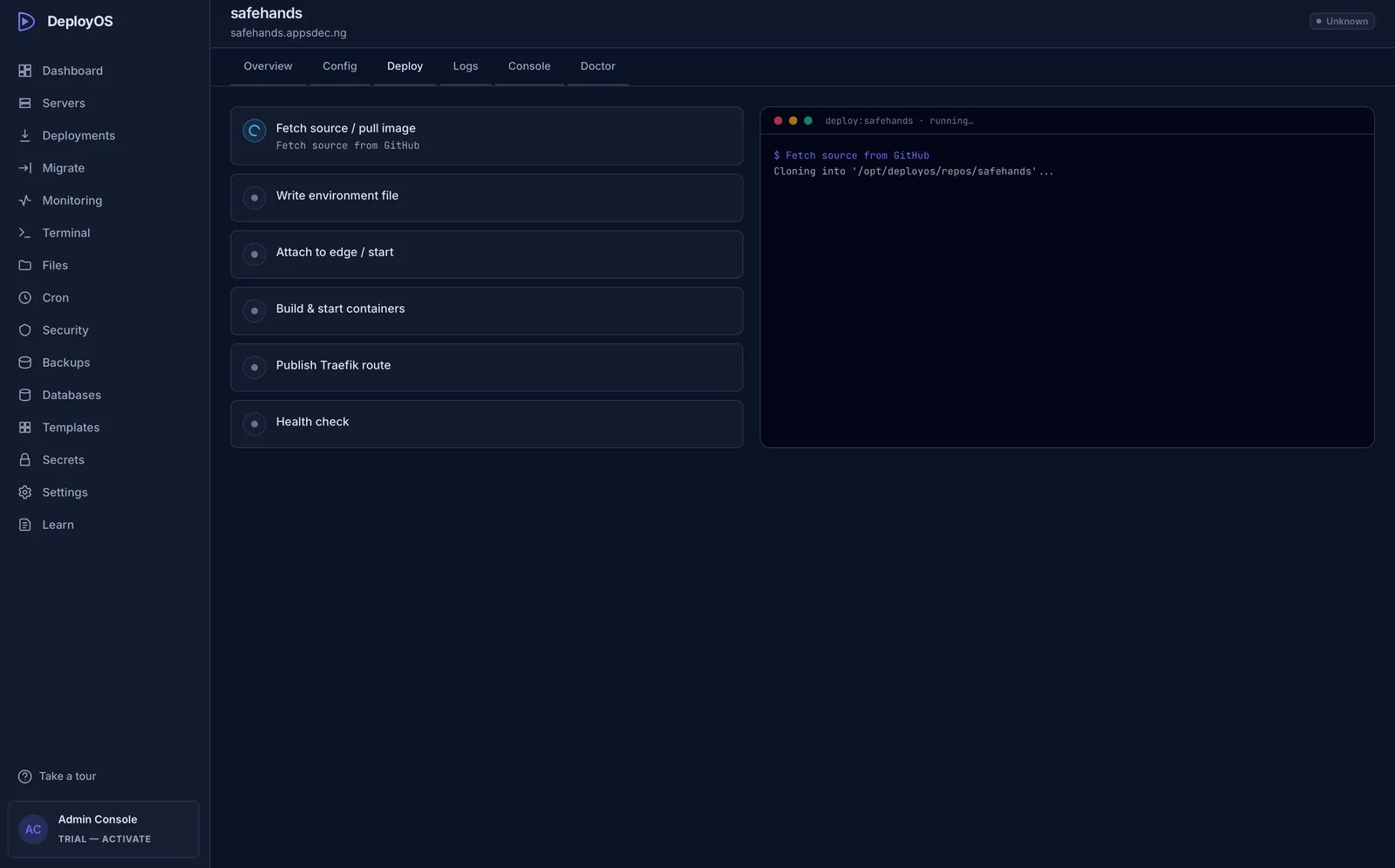
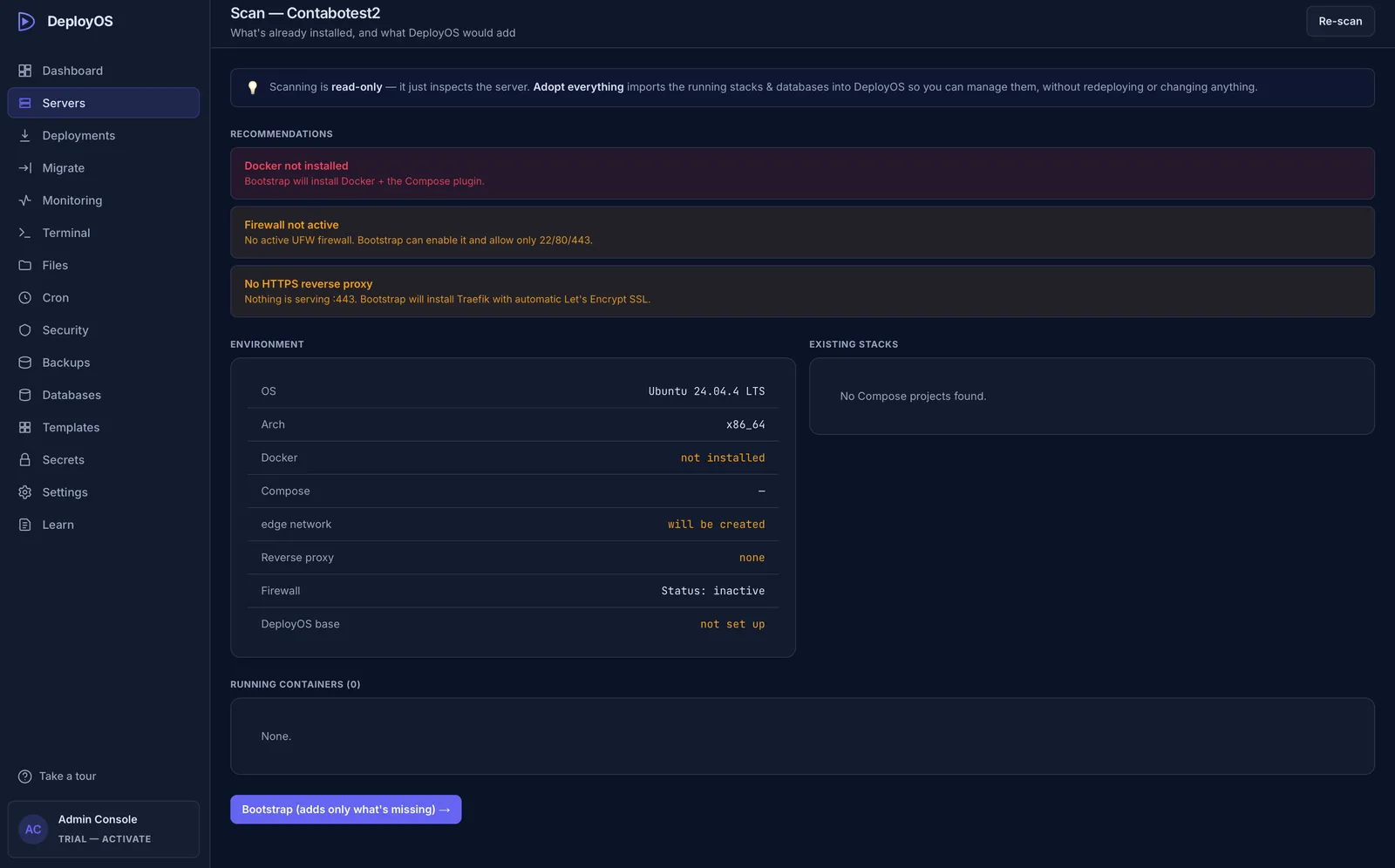
DeployOS is a desktop app for macOS and Windows that manages your own VPS over plain SSH. It installs Docker, a firewall, and HTTPS routing on the server, then lets you deploy apps from a visual dashboard, with nothing of its own left running there: no agent, no daemon, no web panel, and no listening port. SSH keys and secrets stay in your operating system's keychain. It is built by a solo founder, Chinedu, under Appsdec Limited, and is at version 0.3.7.

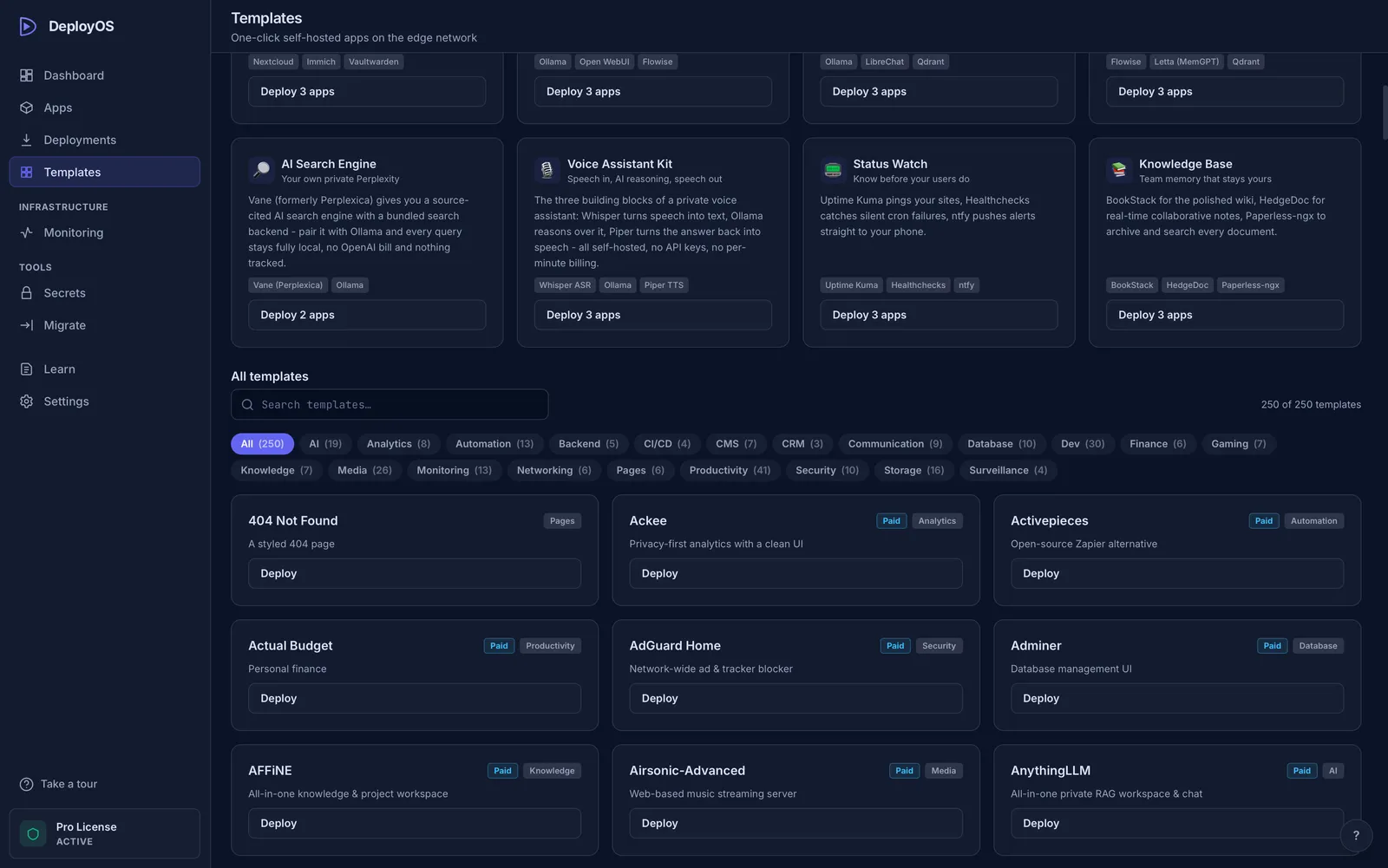
You can deploy from your machine, from GitHub (push-to-deploy), or from 247 one-click templates. It covers automatic HTTPS, PostgreSQL, MySQL, MariaDB, MongoDB, and Redis with an in-app database browser, scheduled backups to local storage or your own S3 bucket, cron jobs, live CPU, RAM, and disk monitoring, logs, one-click rollback, and Linux hardening with UFW, Fail2Ban, and SSH settings. A built-in MCP server lets Claude, Cursor, Claude Code, Codex, and other MCP clients deploy, read logs, run migrations, and roll back. Every write action sits behind its own toggle that is off by default, and destructive actions need a human confirmation.

The lifetime deal is sold directly by the vendor. Solo ($49 one-time, normally $79) covers 1 device, unlimited servers and deployments, all templates, the MCP server, 1 year of updates, and email support. Pro ($100 one-time, normally $149) adds 3 devices, app moves and server migration, and priority support, and the first 500 Pro buyers get lifetime updates as the Founder's Edition. On both tiers the license never expires, but once the update window ends the app stays on the version you have. A free plan covers 1 VPS, 5 templates, GitHub deploys, and a read-only MCP server.
Alternative to:
CoolifyDokployCapRoverLaravel ForgeHeroku

Pricing

1 / 2

Solo: lifetime license + 1 year of updates

Equivalent to Solo (regular price $79 one-time)

$49/one-time
  • 1 device license (one active computer, not one server)
  • Desktop app for macOS and Windows, connects to your VPS over SSH
  • Unlimited servers and deployments
  • All 247 templates and Stacks
  • Automatic HTTPS via Traefik or Caddy
  • Databases, backups, and cron jobs
  • +3 more
Most Popular

Pro (Founder's Edition): lifetime updates, first 500 buyers

Equivalent to Pro (regular price $149 one-time)

$100/one-time

Everything in Solo: lifetime license + 1 year of updates, plus:

  • Everything in Solo
  • 3 device licenses (computers running the app)
  • Move apps between servers in one click
  • Server migration with zero downtime
  • Lifetime updates for the first 500 Pro buyers (Founder's Edition)
  • Priority support

Product Preview

Demo video and screenshots of DeployOS

DeployOS dashboard for deploying and managing a VPS
Server scan that adopts services already running on the VPS
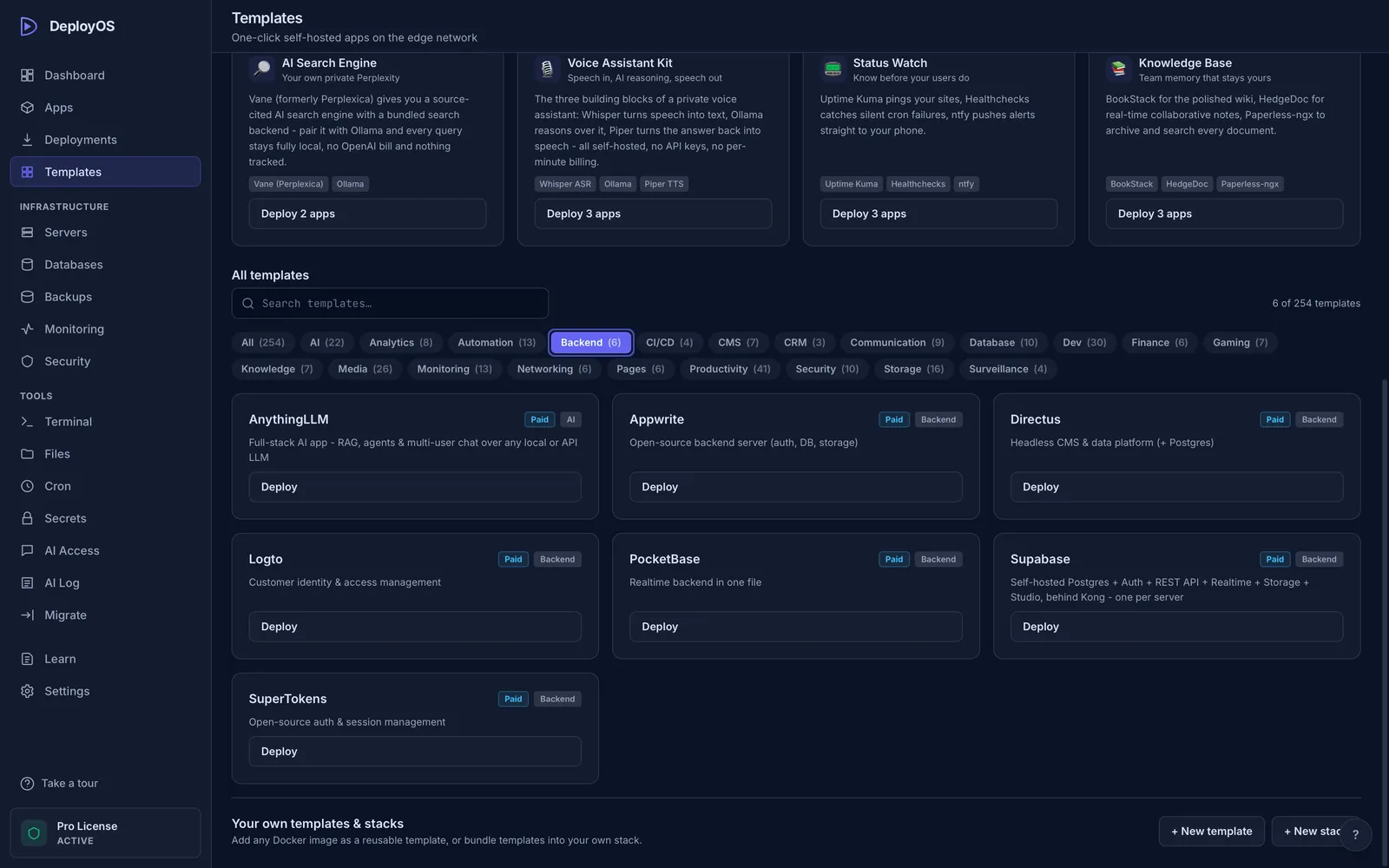
One-click templates gallery
Supabase template setup
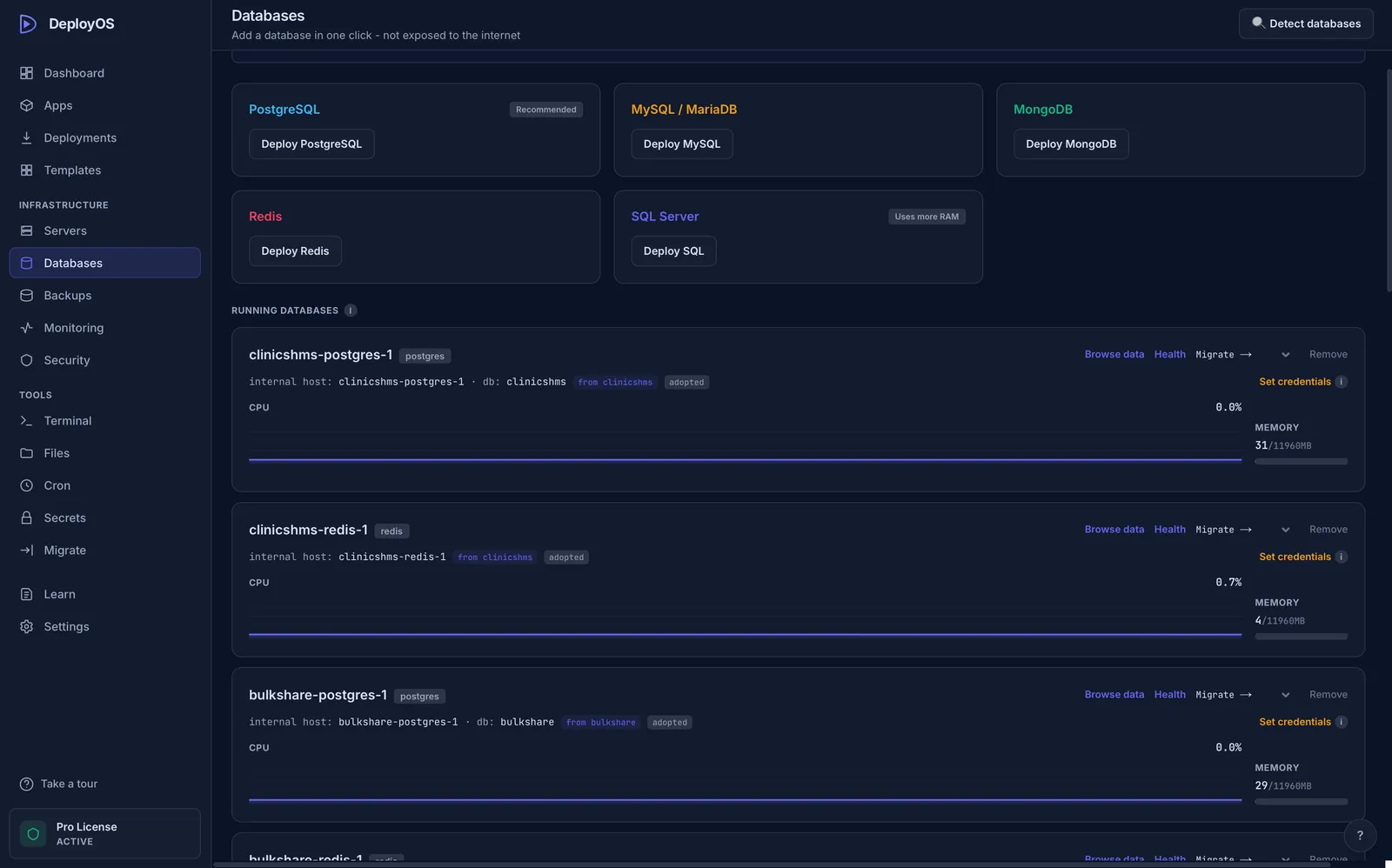
Database management inside the app
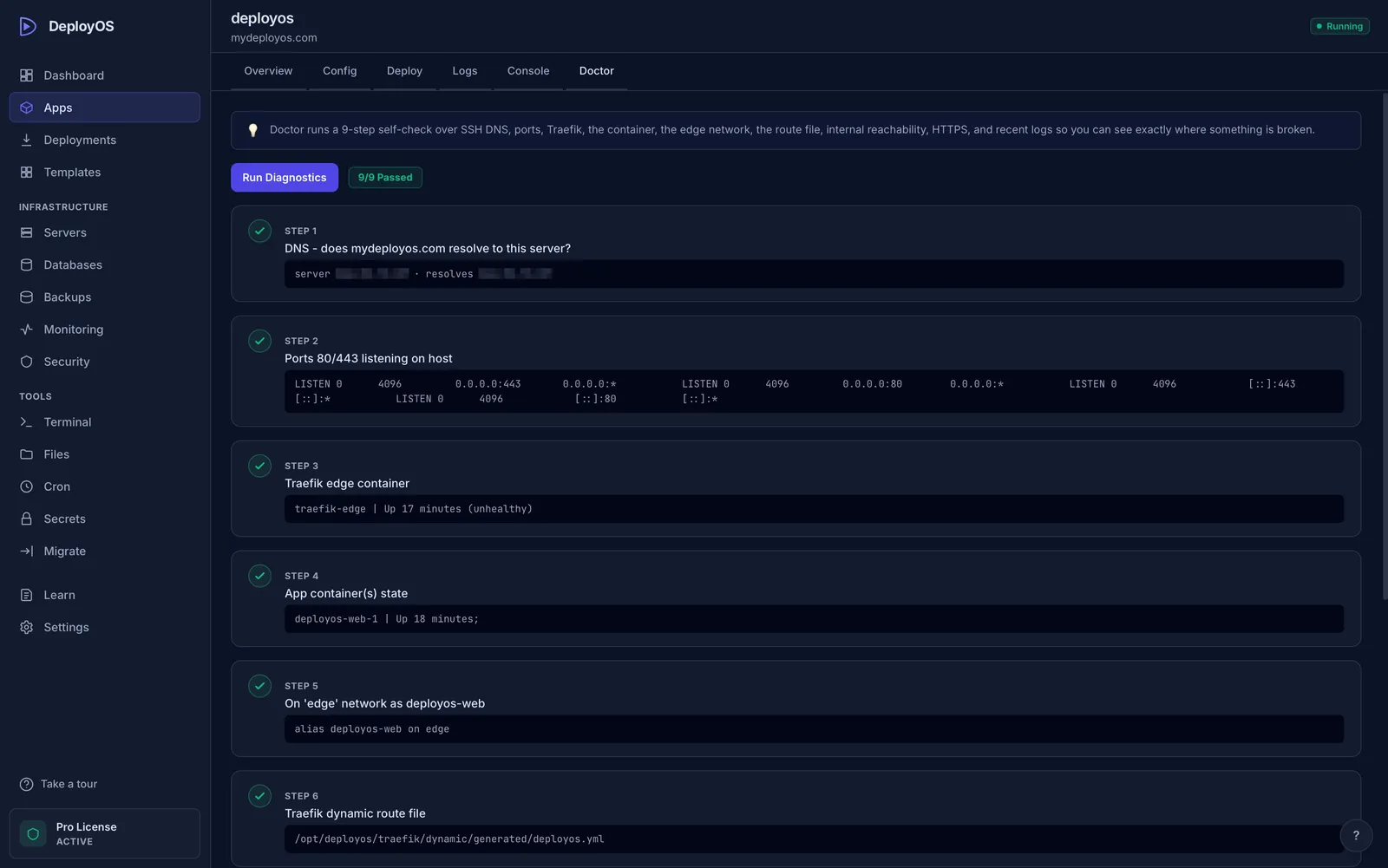
Doctor diagnostic for DNS, proxy, network, and TLS issues
1 / 6

Key Features

Core capabilities included in this deal.

Deploys over SSH

Paste a server IP and SSH key; DeployOS sets up Docker, the firewall, and HTTPS and leaves no control plane running on the server.

GitHub and template deploys

Push-to-deploy from GitHub or pick one of 247 templates, with health-checked rollouts and one-click rollback to recent builds.

Databases and backups

Run PostgreSQL, MySQL, MariaDB, MongoDB, or Redis, browse tables, and schedule backups locally or to your own S3 bucket.

Monitoring, logs, and cron

Watch CPU, RAM, and disk per server, read logs, and schedule cron jobs without logging in over SSH.

Security hardening

Applies UFW, Fail2Ban, and SSH hardening, shows each change before it runs, and keeps secrets in your OS keychain.

MCP server for AI agents

Claude, Cursor, Claude Code, and Codex can deploy, read logs, and roll back; writes are off by default and destructive actions need confirmation.

Who It's For & Use Cases

How teams and solopreneurs get maximum leverage from DeployOS.

Shipping AI-built apps to a cheap VPS

Vibe coders and indie hackers

Deploy an app your AI assistant wrote to a $5 to $10 VPS without learning server commands.

Leaving a monthly PaaS bill

Solo developers

Move side projects off Heroku, Render, or Railway onto servers you already pay for.

Deploying from Claude or Cursor

Developers working with AI agents

Let your coding assistant deploy, read logs, and roll back through MCP, with each write action approved first.

Hosting several client apps

Small agencies and freelancers

Run client sites on your own servers and move them between VPS providers with server migration on Pro.

Pros, Cons & Verdict

Our honest editorial opinion to help you decide before you buy.

The Good (Pros)

  • MCP deploys from Claude or Cursor, with write actions locked by default
  • No always-on agent or web panel on the server
  • Unlimited servers and deployments on both tiers
  • Free plan with a real VPS lets you test before buying
  • Founder answers buyer questions directly and is open about trade-offs

Considerations (Cons)

  • Solo gets only 1 year of updates, a real issue for server software
  • Lifetime updates are limited to the first 500 Pro buyers
  • GitHub auto-deploy checks only run while the desktop app is open
  • Device limit counts computers, not servers; Solo allows 1 active computer
  • No Linux desktop app; new one-person product with no public reviews yet
LTD Explorer verdict

Our verdict

Worth it

DeployOS is worth it for solo developers and small agencies who want to run apps on their own VPS without a web panel on the server, and Pro is the tier to buy while Founder's Edition lifetime updates last, since Solo's 1 year of updates is short for server software. Wait if you need a Linux desktop app or instant webhook deploys, and treat review evidence as thin: test the free plan first and use the 14-day refund if it does not fit.

DeployOS logo

About DeployOS

mydeployos.com/

Desktop VPS manager that deploys apps over SSH, with HTTPS, databases, backups, and an MCP server for AI agents

Frequently Asked Questions (6)

Essential answers regarding deal terms, stacking, licensing, and refunds.

What is the refund policy?
DeployOS offers a 14-day money-back guarantee with no questions asked. Email hello@mydeployos.com from the address you bought with within 14 days of purchase; the license is then deactivated and the free plan stays available.
What happens after the first year on Solo?
The license and the version you have installed keep working; you just stop receiving new updates. Pro buyers within the first 500 get every future version free as the Founder's Edition.
Does "3 devices" mean 3 servers?
No. Devices are the computers running the desktop app. Servers and deployments are unlimited on both tiers, and Solo allows 1 active computer at a time.
Does it run on Linux?
The desktop app runs on macOS 11+ and Windows 10/11 (64-bit). A Linux desktop app is on the roadmap. Servers must be Linux; Ubuntu 20.04+ or Debian 11+ with 1 GB RAM is recommended.
Is it safe to let an AI agent touch my server?
Paid plans include a full MCP server, but every write action has its own toggle that is off by default, destructive actions need a human confirmation that times out to no, and write calls are logged locally. The free plan's MCP server is read-only.
Is there a free plan?
Yes. It covers 1 VPS, 5 templates, GitHub deploys, and a read-only MCP server, with no card required and no time limit.

Share this DeployOS deal

Know a founder, freelancer, or agency that needs this? Send it their way.

Found an outdated price or expired offer?

More in Developer Tools

Other active lifetime deals in Developer Tools.

All Developer Tools deals
  • WP Reset logo
    Developer Tools

    WP Reset

    AppSumo

    WordPress plugin to reset, clean up, snapshot, and recover sites, with plugin collections and a multi-site dashboard

    NEW
    $49 $158
    69% OFF
  • GetMCP logo
    Developer Tools

    GetMCP

    RocketHub

    Turn an existing API into a self-hosted MCP server for Claude, ChatGPT, and Cursor without writing protocol code

    NEW
    $49
  • The Hostinger Bundle logo
    Developer Tools

    The Hostinger Bundle

    AppSumo

    One year of Hostinger web hosting, a managed AI agent, and AI email marketing in one code (not lifetime)

    NEW
    $44 $147
    70% OFF