Skip to content
PDF Expert logo

PDF Expert

NEW

Readdle's Mac PDF editor for editing, annotating, signing, converting, and OCR, on a one-time license

Best for: Mac users who want an Acrobat alternative without a subscription

Visit PDF Expert

Overview & Highlights

Major Deal Highlights

  • One-time $79.99 license for PDF Expert 3 on Mac
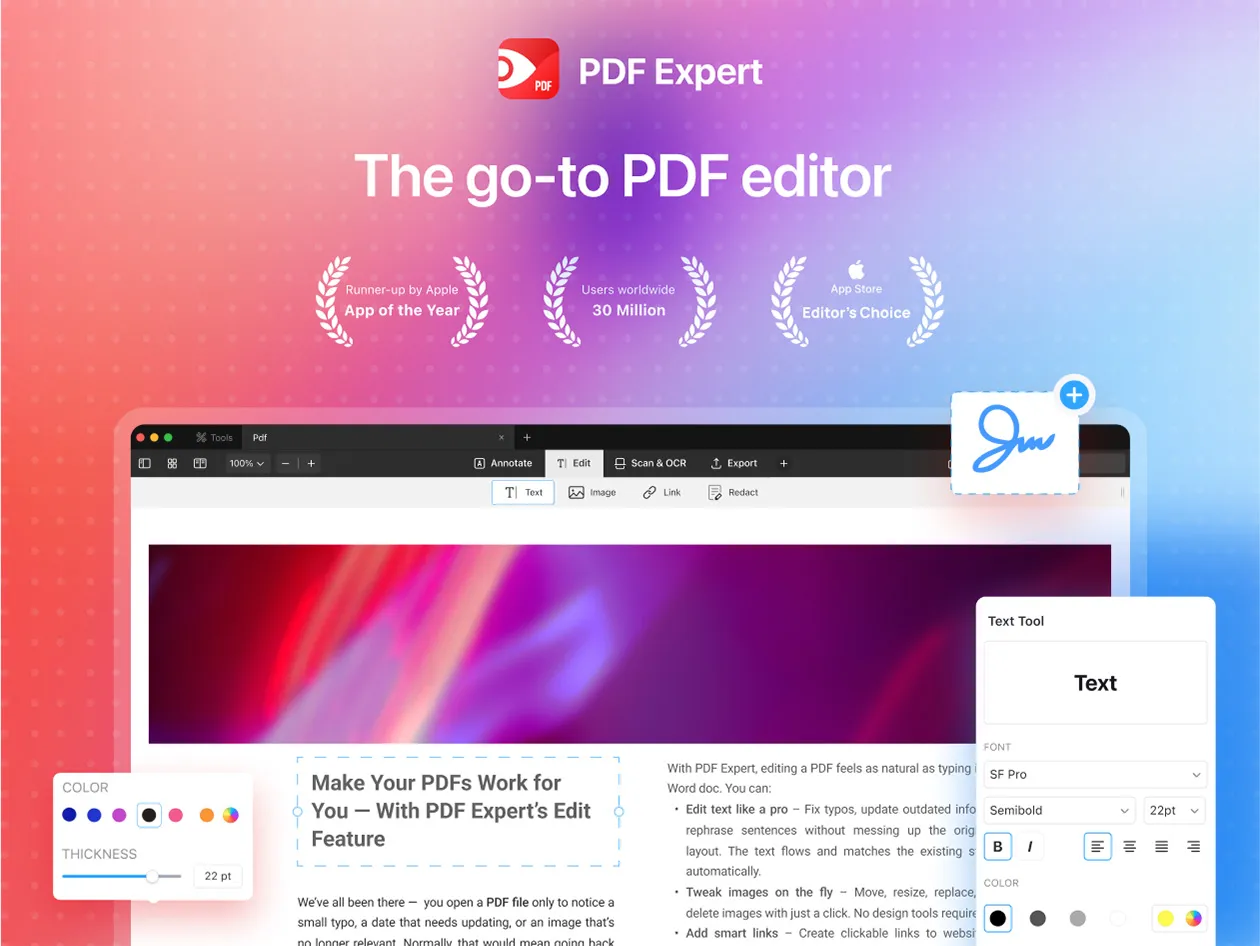
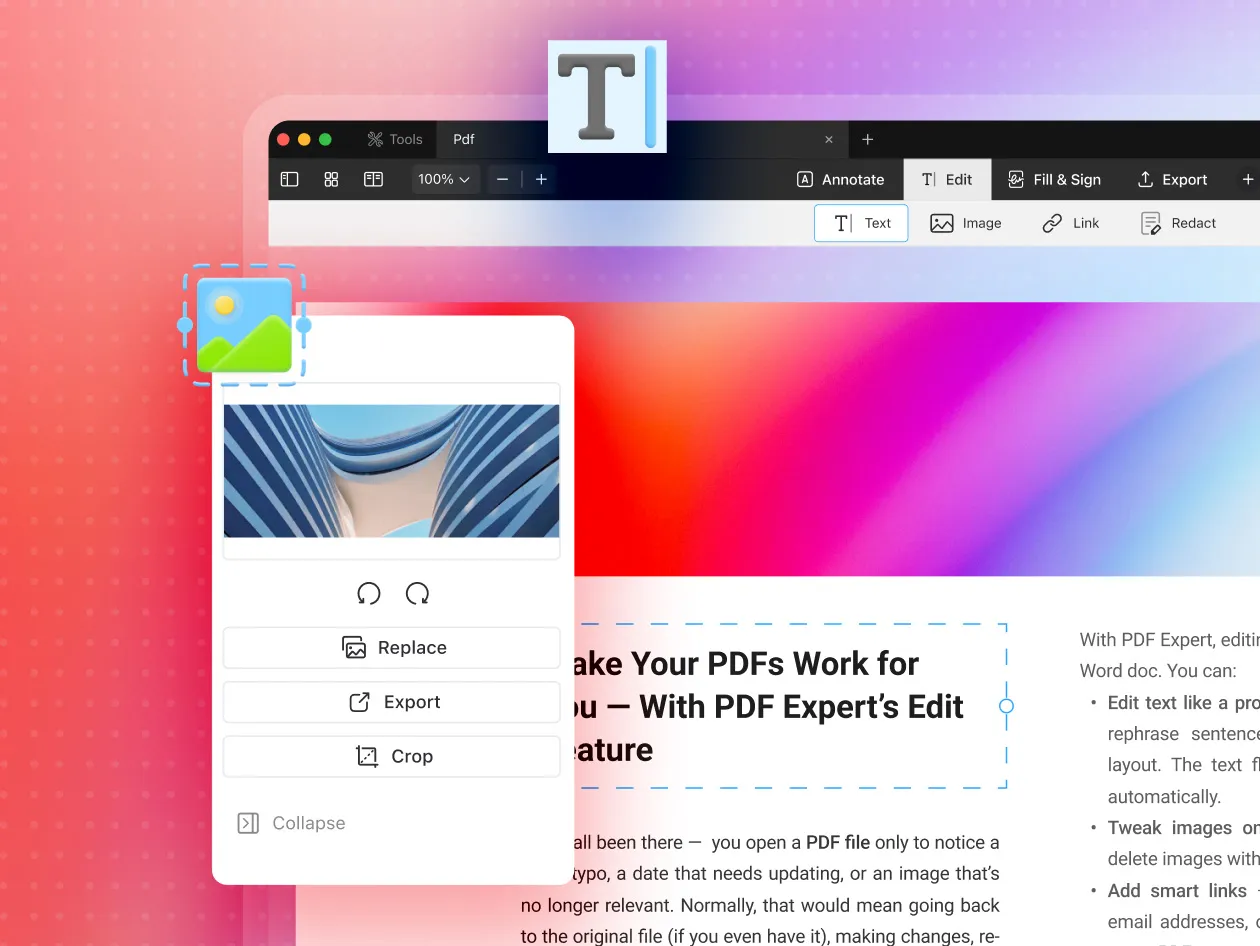
  • Edit text, images, and links directly in PDFs
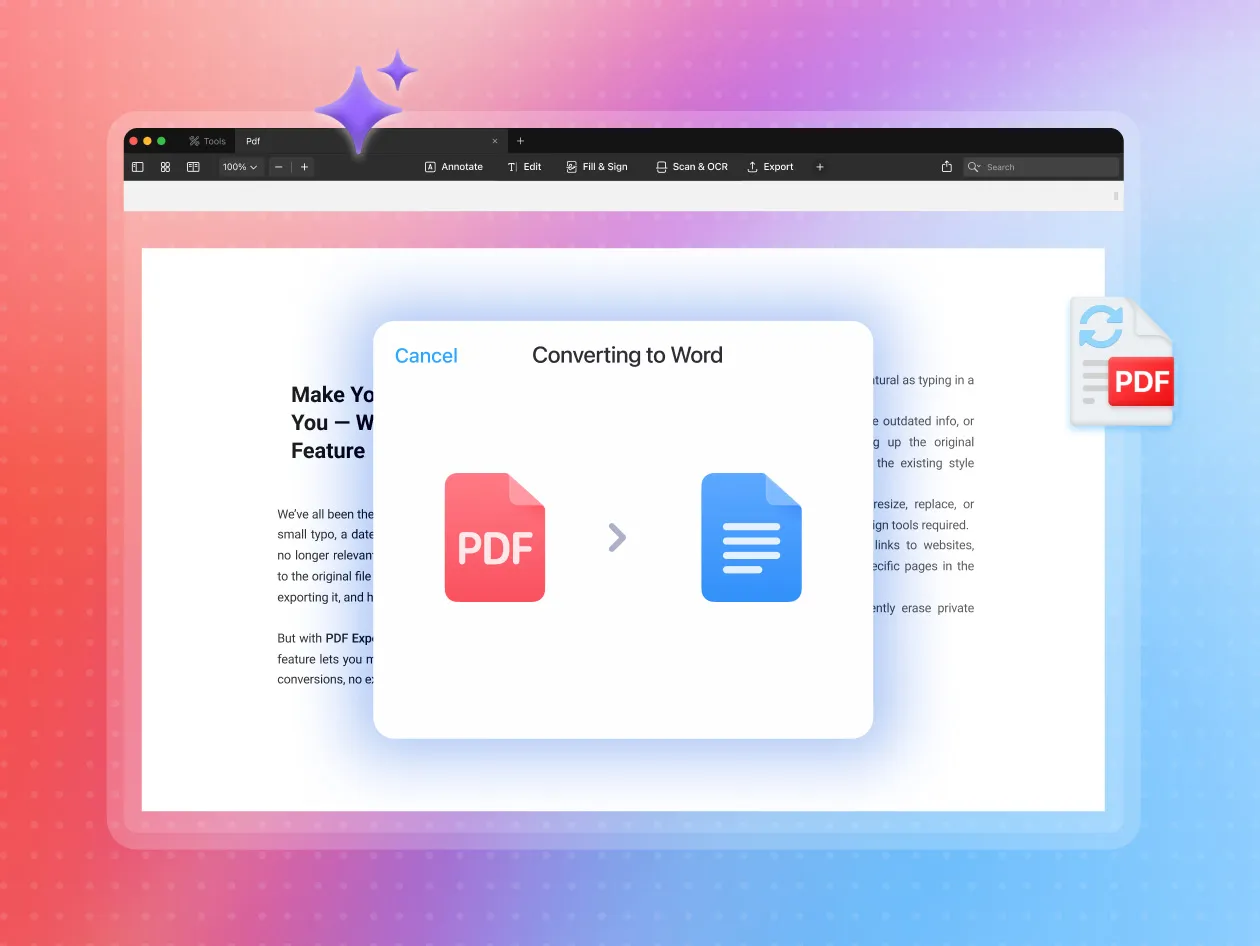
  • Convert PDFs to Word, Excel, PowerPoint, images, and text
  • OCR, redaction, form filling, and signatures included
  • Unlimited personal Macs; new users only

PDF Expert is Readdle's PDF editor for macOS. It reads, edits, annotates, organizes, converts, and signs PDFs in a native Mac interface, and is a common pick for people leaving Adobe Acrobat's subscription.

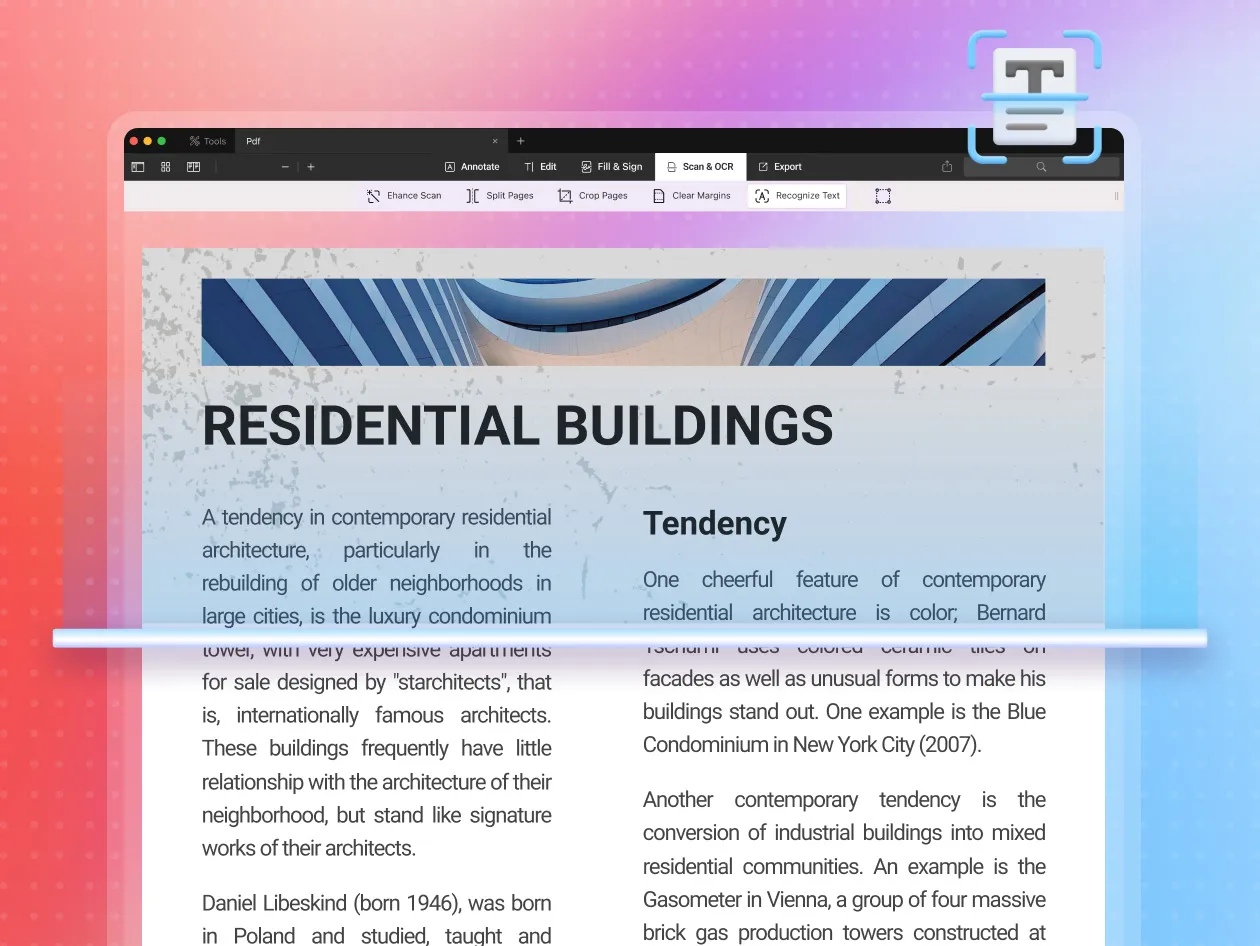
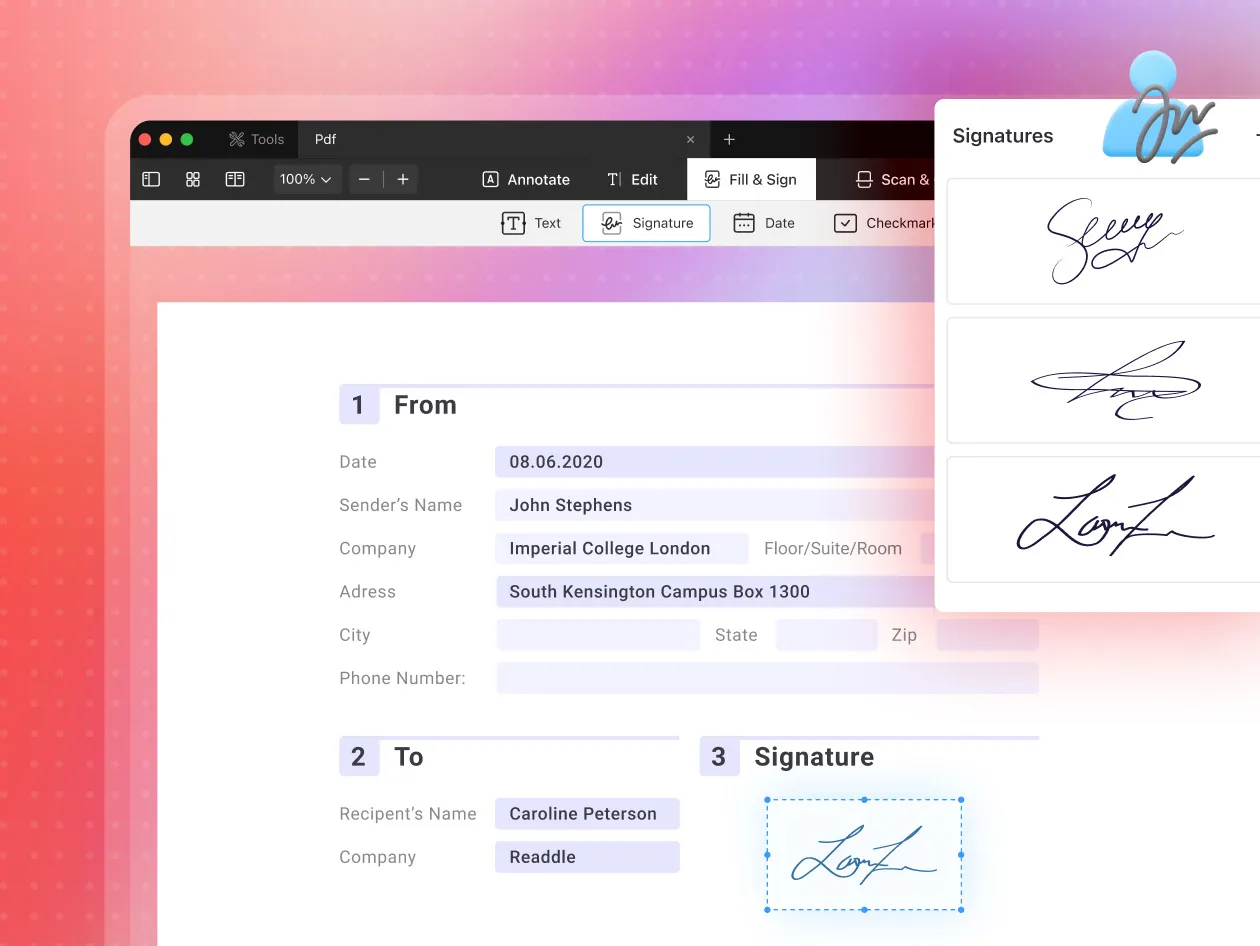
You can change text, swap images, and add links; highlight, comment, and stamp; merge, split, and reorder pages; convert PDFs to and from Word, Excel, PowerPoint, images, and text; fill and sign forms; redact sensitive content; and run OCR on scans to make them searchable, with scan cleanup and page cropping.

The StackSocial deal is the Premium plan, lifetime, Mac only, for $79.99 (suggested price $139.99), for new users only. It covers PDF Expert 3 for Mac with unlimited use on your personal Macs and requires macOS 12 or later. You get support and bug fixes, but new features may cost extra. Redeem within 30 days of purchase.
Alternative to:
Adobe Acrobat Pro

Pricing

Most Popular

Premium Plan (Mac)

Equivalent to PDF Expert Premium (Lifetime, Mac)

$79.99/one-time
  • Lifetime access to PDF Expert 3 for Mac
  • Unlimited use on personal macOS devices
  • Edit PDF text, images, and links
  • Annotate, comment, and stamp
  • Convert PDF to Word, Excel, PowerPoint
  • OCR text recognition
  • +3 more

Product Preview

Demo video and screenshots of PDF Expert

PDF Expert for Mac product screenshot 1 from the StackSocial deal page
PDF Expert for Mac product screenshot 2 from the StackSocial deal page
PDF Expert for Mac product screenshot 3 from the StackSocial deal page
PDF Expert for Mac product screenshot 4 from the StackSocial deal page
PDF Expert for Mac product screenshot 5 from the StackSocial deal page
1 / 5

Key Features

Core capabilities included in this deal.

Direct PDF editing

Fix typos, update numbers, add paragraphs, replace images and logos, and add links inside existing PDFs.

Annotation and review

Highlight text, add comments and pop-up notes, and use built-in or custom stamps for review workflows.

Page organization

Merge files, split documents, and add, delete, reorder, or rotate pages.

Conversion

Turn Word, PowerPoint, Excel, JPG, and PNG into PDF, and export PDFs to Office formats, images, or text.

Forms, signatures, and redaction

Fill forms by clicking fields, sign documents, collect one-time signatures, and black out confidential content.

OCR and scan cleanup

Recognize text in scans so it can be searched and copied, fix distortion and shadows, and split double-page scans.

Who It's For & Use Cases

How teams and solopreneurs get maximum leverage from PDF Expert.

Replacing an Acrobat subscription

Mac users and freelancers

Handle everyday editing, signing, and conversion on a Mac without a monthly Adobe bill.

Contracts and paperwork

Small business owners and managers

Fill, sign, redact, and merge contracts, invoices, and forms.

Studying and annotating

Students, educators, and architects

Highlight and comment on readings, papers, and drawings.

Pros, Cons & Verdict

Our honest editorial opinion to help you decide before you buy.

The Good (Pros)

  • Buyers call it a solid Adobe Acrobat replacement without subscriptions
  • Easy to use, with a clean native Mac interface
  • Covers editing, signing, OCR, and conversion in one app
  • Unlimited use across your personal Macs
  • Runs fast and reliably, per Macworld's testing

Considerations (Cons)

  • Mac only; no Windows, Android, or iPhone/iPad access in this deal
  • New features may cost extra; only support and bug fixes included
  • OCR may need settings tweaks to work well
  • Some lifetime owners report trouble moving licenses to new Macs
  • Sets itself as default PDF app, which some buyers dislike
LTD Explorer verdict

PDF Expert

Worth it

Worth it for Mac users who edit, sign, or convert PDFs regularly and want to stop paying for Acrobat: $79.99 once for the current PDF Expert 3 is a fair price for a well-reviewed app.

Skip if:you need PDF Expert on iPhone, iPad, or Windows, or if you expect future major features, since those may cost extra.

PDF Expert logo

About PDF Expert

pdfexpert.com/

Readdle's Mac PDF editor for editing, annotating, signing, converting, and OCR, on a one-time license

Frequently Asked Questions (5)

Essential answers regarding deal terms, stacking, licensing, and refunds.

Is this a lifetime license?
Yes. StackSocial lists lifetime access to PDF Expert 3 for Mac, with support and bug fixes. Additional new features may come at an extra cost.
Does it work on iPhone, iPad, or Windows?
No. This deal covers the Mac version only, with unlimited use on your personal macOS devices. It requires macOS 12.0 or later.
Can existing PDF Expert users buy it?
No. StackSocial says the deal is available to new users only.
How long do I have to redeem?
Redeem your code within 30 days of purchase. Readdle activates it through a magic link sent by email, according to a buyer review.
Can I get a refund?
Not in cash. Unredeemed codes can be returned for StackSocial store credit within 30 days of purchase; once redeemed, the sale is final.

Share this PDF Expert deal

Know a founder, freelancer, or agency that needs this? Send it their way.

Found an outdated price or expired offer?

Similar Deals & Alternatives

More verified deals in Productivity.

All Productivity
  • TidyCal logo
    Productivity

    TidyCal

    AppSumo

    Booking pages, paid sessions, packages, and client reviews in one simple scheduling tool

    NEW
    $29$144
    80% OFF